

Turning followers into customers starts with one thing: a high-converting landing page. Whether you are launching a preset pack, rolling out a new course, or promoting a coaching service, a dedicated landing page cuts through the noise and focuses your audience on a single action—signing up or buying. The good news is you do not need to code anything from scratch. Free landing page templates give you a professional, conversion-ready foundation in minutes.
This guide is your complete resource for the best free landing page templates available right now. Instead of endless searching, you will find a curated list of the top platforms with practical tips tailored specifically for creators and influencers. From drag-and-drop builders for quick launches to code-based templates for full customization, every option here has been evaluated for ease of use, design quality, and conversion potential.
Each platform is broken down into a mini-listicle format with actionable tips and real-world use cases. You will learn which template works best for a “link in bio” page, which one is ideal for selling your first e-book, and which builder integrates directly with your email marketing. For a broader overview of the landscape, the 12 Best Landing Page Free Templates for 2025 guide from Exclusive Addons is a solid companion resource. This article builds on that with creator-specific advice to help you launch faster and convert better.
1. HubSpot – Free Landing Page Builder
HubSpot is more than just a collection of free landing page templates; it is a complete marketing ecosystem. Its free landing page builder connects directly to its free CRM, which means every person who signs up through your page is automatically organized and tracked. For creators building an email list from social media traffic, this integration is a game-changer. The templates are clean, professional, and fully mobile-responsive.
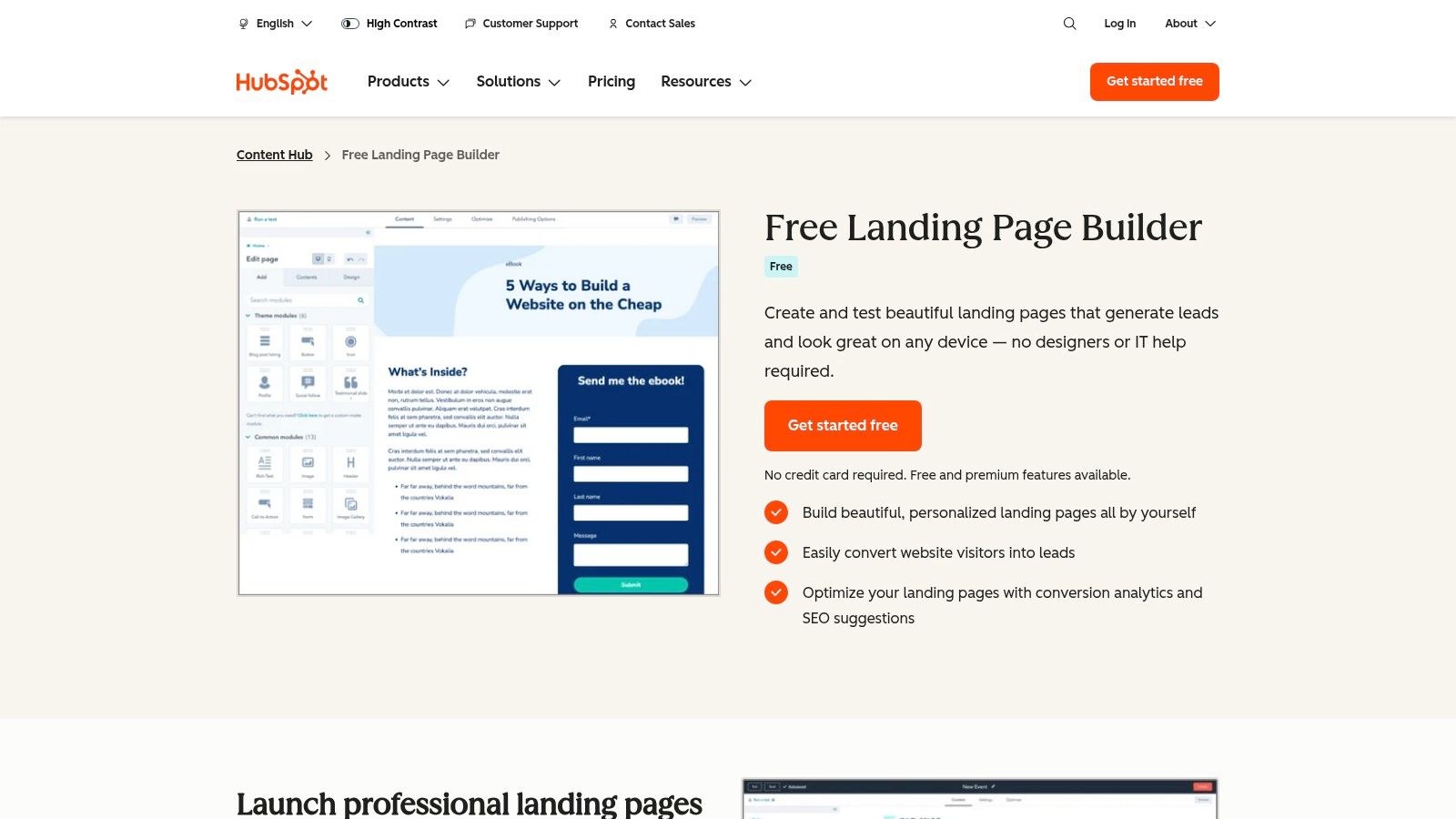
The drag-and-drop editor is intuitive enough for beginners, letting you customize every element without writing a single line of code. Built-in analytics show exactly what is working and what needs improvement, so you can optimize your landing page conversion rate over time.
Quick Tips for Influencers:
- Launch an E-book: Use a HubSpot template to offer a free chapter of your e-book. Everyone who downloads it is automatically added to your CRM, creating a perfect list of warm leads for the full launch.
- Host a Webinar: Promote your free masterclass on Instagram Stories. The landing page collects sign-ups and HubSpot’s email tool can send out reminders automatically.
- Build a Waitlist: Got a big course coming? Create a simple “coming soon” page to capture emails and build hype before you even launch.
Limitations and Considerations
The free plan is impressive, but your page will display HubSpot branding. To use your own domain (like yourbrand.com), you will need to upgrade. Advanced features like A/B testing are reserved for paid plans. Still, the free version provides more than enough functionality to get your lead-generation funnel running.
Visit Website: HubSpot Free Landing Page Builder
2. Mailchimp – Free Landing Page Templates
If you already use Mailchimp for your newsletter, adding their landing page builder is a natural next step. The interface feels just like their email editor, making it easy to create on-brand pages that feed subscribers directly into your email lists. Mailchimp offers a solid collection of free landing page templates designed specifically for growing your subscriber base.
The drag-and-drop builder lets you customize fonts, colors, and layouts without any design experience. Built-in reporting gives you a clear view of visitors, clicks, and sign-ups at a glance.
Quick Tips for Influencers:
- Deliver a Freebie: Create a landing page to give away a free guide or preset. When a follower from TikTok signs up, they are instantly added to your list and receive the download automatically.
- Run a Giveaway: Promote a contest on your social channels and direct everyone to a Mailchimp landing page to enter. It is a fast way to grow your email list with an engaged audience.
- Promote New Merch: If you have a Shopify store, you can pull your products directly into the landing page to announce a new drop to your email subscribers.
Limitations and Considerations
On the free plan, your page will live on a Mailchimp URL and will display their logo. You will need a paid plan to use a custom domain. This builder is best for creators who are laser-focused on email list growth.
Visit Website: Mailchimp Landing Pages
3. Webflow – Free Website and Landing Page Templates
Webflow is built for creators who have a specific vision and want pixel-perfect control over their landing page design. It is a professional-grade design tool that lets you build stunning, custom websites without writing code. Their marketplace includes a “Free” section with templates you can clone and fully customize. This makes Webflow ideal for launching a high-end course or a personal brand that needs to look premium.
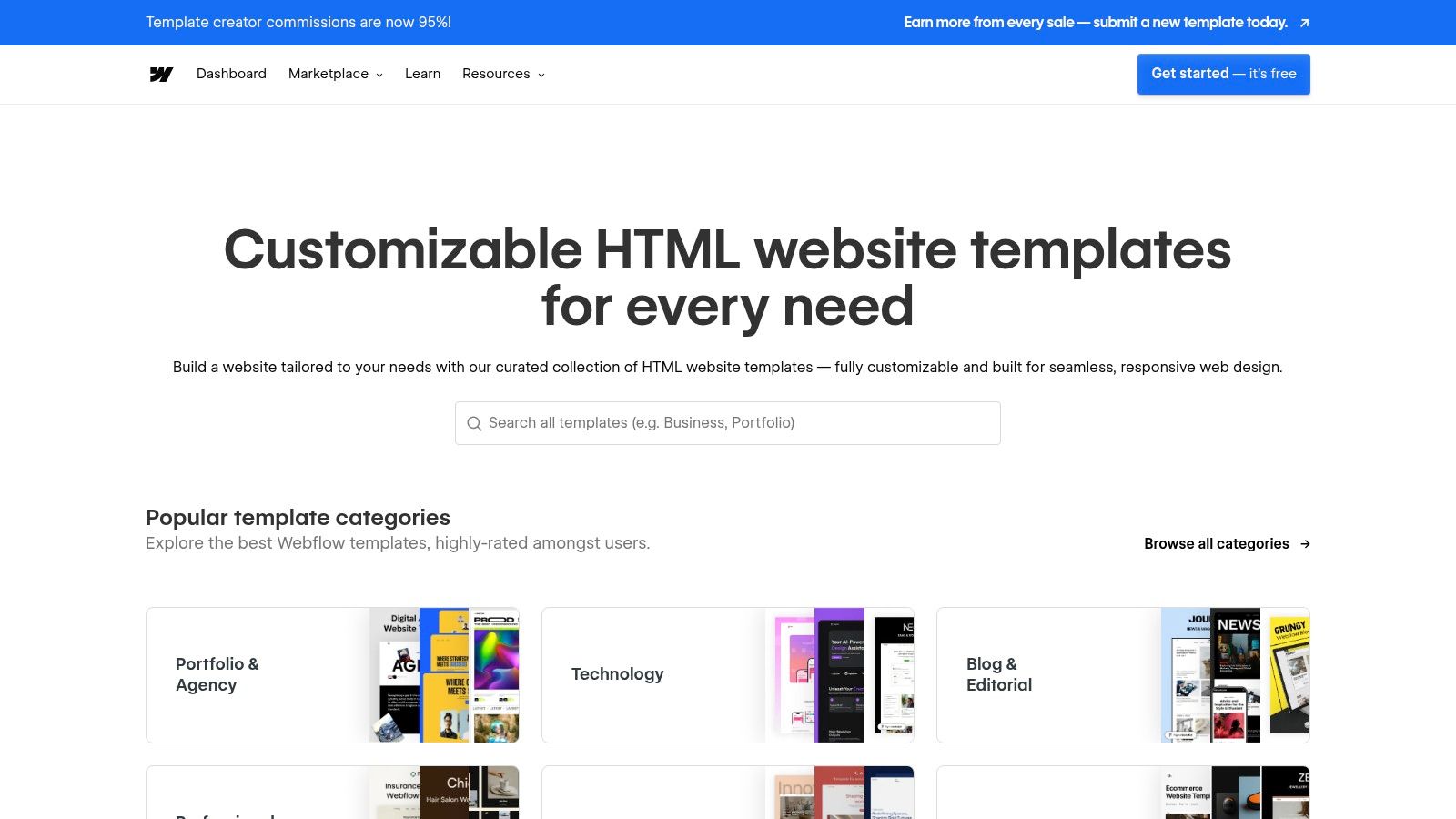
Unlike simpler builders, Webflow gives you complete control over animations, interactions, and design details, making every page feel truly unique and tailored to your brand.
Quick Tips for Influencers:
- Create a Polished Portfolio: Showcase your best brand collaborations with a visually stunning one-page portfolio. It is the perfect link to send to potential partners.
- Launch a Premium Course: A high-ticket offer needs a high-end sales page. Use Webflow to build an immersive page with scroll-triggered animations that tell a compelling story.
- Build a Unique “Link in Bio”: Ditch the standard link trees and build a custom micro-site that reflects your brand’s personality perfectly.
Limitations and Considerations
Webflow has a learning curve. If you are accustomed to tools like Canva, it might feel complex at first. The free plan limits you to a webflow.io URL. To connect your own domain, you will need a paid plan.
Visit Website: Webflow Templates
4. Wix – Free Landing Page Templates and Builder
Wix is one of the most popular website builders available, and its massive library of free landing page templates covers everything from product launches to event sign-ups. You can publish a professional-looking page on a free Wix URL, making it a zero-cost way to validate an idea for a new course or service before investing further.

A standout feature for landing pages is the ability to remove the site header and footer. This creates a distraction-free experience that guides visitors from your Instagram Story straight to your call-to-action button.
Quick Tips for Influencers:
- Promote an Event: Hosting a live workshop or a local meet-up? Use a Wix template to create a registration page with all the details, including a map and schedule.
- Test a Product Idea: Before you create an entire course, build a simple landing page describing it and collect email sign-ups to gauge interest. If people sign up, you know it is worth building.
- Build a Simple Sales Page: You can use the Wix App Market to add email marketing forms or even a payment button to sell a digital product directly. To learn more, explore platforms for selling digital products that integrate seamlessly with Wix and similar builders.
Limitations and Considerations
The biggest downside of the free plan is the Wix branding at the top of your page and in the URL. You need to upgrade to a paid plan to remove it and connect your own domain.
Visit Website: Wix Landing Page Builder
5. WordPress.org – Free Landing Page Themes
For creators who want total control and long-term ownership of their landing pages, self-hosted WordPress is the strongest option. The official theme directory has thousands of free landing page templates to download. This path is ideal for building a central hub for your brand that is not locked into any single platform’s ecosystem.
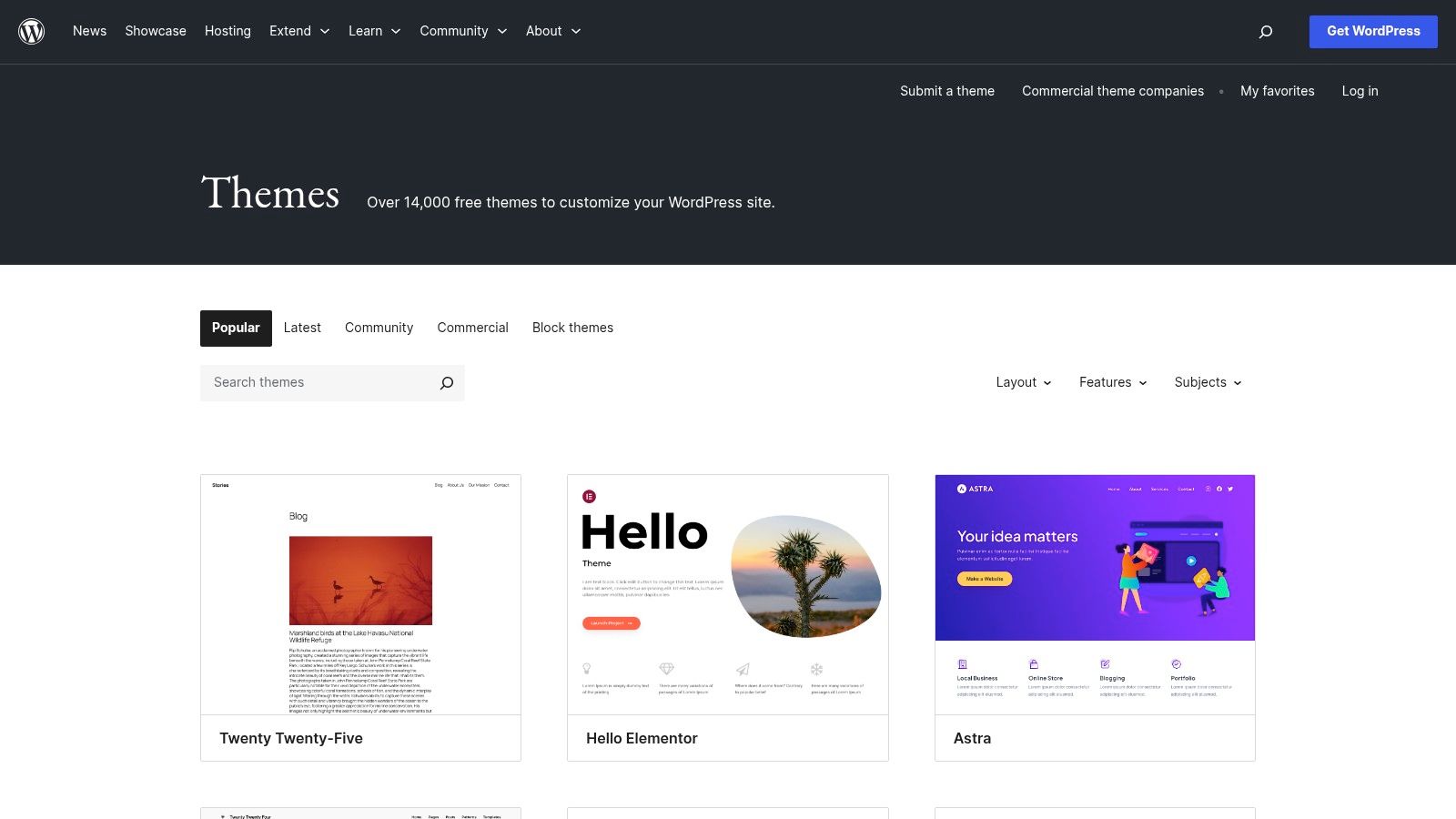
The real power of WordPress is its plugin ecosystem. Install a free theme and then use a free page builder plugin like Elementor to design your landing page with a visual drag-and-drop editor. This combination gives you both full control and ease of use.
Quick Tips for Influencers:
- Create a Central Hub: Use a one-page theme as your main “link in bio” site, featuring your latest content, brand partnerships, and a newsletter sign-up form.
- Launch a Digital Product: Combine a landing page theme with a free plugin like WooCommerce to sell your e-books or presets directly from your own site. Check out this guide on what are digital downloads to get started.
- Build a Scalable Brand: Starting with WordPress means you can expand later. Your simple landing page can grow into a full blog, portfolio, or membership site over time.
Limitations and Considerations
With total control comes added responsibility. You will need to purchase your own web hosting and handle updates and security yourself. The learning curve is steeper than all-in-one builders, but the flexibility is unmatched.
Visit Website: WordPress.org Themes
6. Start Bootstrap – Free Bootstrap Landing Page Templates
For tech-savvy creators, Start Bootstrap is an excellent resource offering professional, open-source landing page templates you can download and host anywhere. This means no platform fees and complete control over your code. The free templates have a clean, modern aesthetic that works especially well for launching a tech product or building a sleek personal brand page.

These are raw HTML, CSS, and JavaScript files, so you can integrate any analytics or email marketing tool without being tied to a proprietary system.
Quick Tips for Influencers:
- Launch a Tech Side-Hustle: If you are a creator in the tech space, these templates are perfect for building a waitlist for your new app or SaaS idea.
- Create a Custom Portfolio: Stand out by using a code-based template to build a portfolio that is truly unique and not based on a common page builder.
- Total Customization: Because you have the source code, you can integrate a custom booking calendar, a unique photo gallery, or any feature you need.
Limitations and Considerations
This is a DIY option. You will need to know basic HTML and CSS to edit the content, and you are responsible for hosting the files. It is not the right choice for beginners who want a drag-and-drop experience.
Visit Website: Start Bootstrap Landing Page
7. BootstrapMade – Free Bootstrap Landing Page Templates
BootstrapMade offers a strong collection of sleek, modern free landing page templates built on Bootstrap 5. Every template is fully responsive and optimized for mobile devices. This is a great option for creators who are comfortable with basic code and want a professional design without committing to a monthly subscription.
The templates come with pre-built sections for features, pricing, and testimonials, saving significant design and development time. You simply swap out the placeholder text and images with your own content.

Quick Tips for Influencers:
- Promote a Mobile App: Many templates feature an “app launch” layout, perfect for showcasing screenshots and linking to the App Store and Google Play.
- Build a Quick Sales Page: Use the pre-built pricing table and features sections to assemble a sales page for your new service or digital download.
- Host on Free Platforms: You can host these static HTML files for free on services like Netlify or Vercel, keeping your costs at zero while maintaining a professional appearance.
Limitations and Considerations
You will need HTML and CSS knowledge to customize these templates. The free versions require you to keep a credit link to BootstrapMade in the footer. Removing it typically requires purchasing a license.
Visit Website: BootstrapMade Free Landing Page Templates
8. Creative Tim – Awesome Landing Page (Free)
Creative Tim offers a beautifully designed free landing page template called “Awesome Landing Page.” It is a downloadable Bootstrap-based template that gives you complete source files for total customization. This is a strong choice for creators launching a digital product who want a polished, professional look without paying a monthly fee. The template includes multiple color schemes and pre-built content sections.
Because you receive the full source code, you can host it on any platform and customize it without restrictions.
Quick Tips for Influencers:
- Launch a Single Product: The layout focuses all attention on one main offer, making it ideal for promoting a new e-book, preset pack, or video course.
- Create a Personal “About Me” Page: Use the clean sections to tell your story, showcase your work, and link to all your social profiles on one page.
- Build a Simple Funnel: The template includes a contact form layout that you can connect to your email service provider to start collecting leads.
Limitations and Considerations
This is not a drag-and-drop builder, so you need to be comfortable editing HTML and CSS. It also lacks the built-in analytics or CRM features of platforms like HubSpot.
Visit Website: Creative Tim – Awesome Landing Page
9. Colorlib – Free HTML Landing Page Templates
Colorlib is a massive library of free HTML landing page templates with designs covering nearly every niche, from fitness coaches to photographers. This is the right resource for creators who know some basic HTML and CSS and want maximum variety and control over the final product.
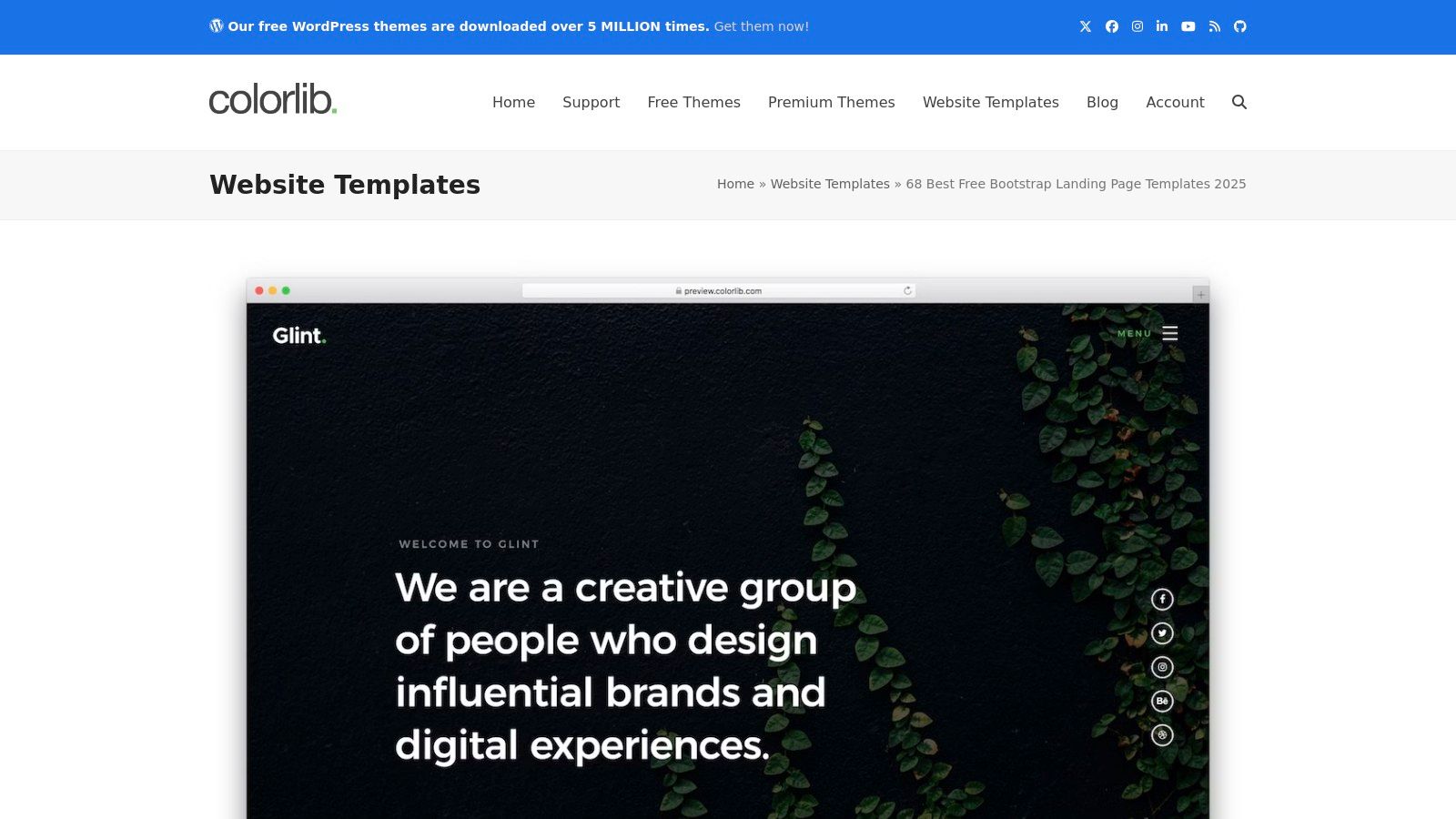
You can preview live demos of every template, and downloading the files is instant with no sign-up required.
Quick Tips for Influencers:
- Niche-Specific Launches: Find a template that already fits your vibe. If you are a travel blogger, find a travel-themed template for your city guides. If you are a designer, pick a creative portfolio layout.
- Build a Microsite for a Campaign: Running a special promotion with a brand? Create a dedicated, custom-branded microsite for the campaign using a Colorlib template.
- Fast Prototyping: Even if you cannot code, browse Colorlib to find a design you love and then hire a developer to customize it. It is a budget-friendly way to get a custom look.
Limitations and Considerations
This is another code-based option not suited for beginners. You are responsible for customization and hosting. Support for free templates is minimal, so troubleshooting is on you.
Visit Website: Colorlib Free Landing Page Templates
10. Carrd – Free One-Page Landing Page Builder
Carrd is the simplest way to create a beautiful, responsive one-page landing page. For influencers, it is the ideal tool for building a stylish “link in bio” page or a focused landing page for a single offer. The free plan lets you publish on a .carrd.co URL and the editor is incredibly easy to use.
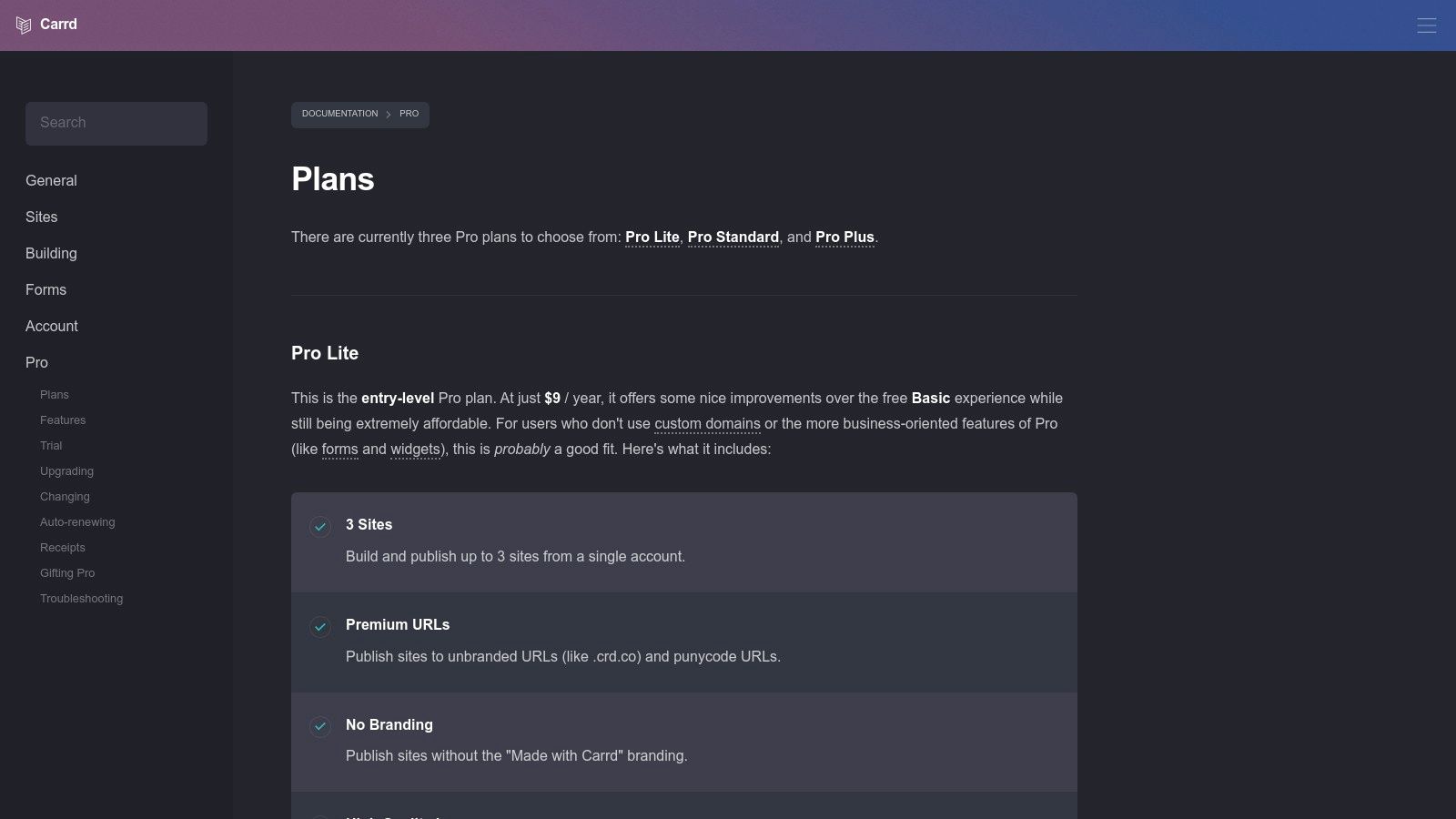
Because Carrd focuses exclusively on one-page sites, every template is fast-loading, mobile-friendly, and streamlined for conversions.
Quick Tips for Influencers:
- The Ultimate “Link in Bio”: This is what Carrd is known for. Create a beautiful page with buttons linking to your latest YouTube video, blog post, merch store, and affiliate links.
- “Coming Soon” Page: Announce your next big project with a simple, elegant page. There is no faster way to get a landing page online.
- Quick Contact Page: Create a simple page with your contact information and social media links to use as a digital business card.
Limitations and Considerations
The free plan is basic. It includes Carrd branding and does not support custom domains or email sign-up forms. However, the Pro plan costs around $19 per year and unlocks all these features, making it one of the best value landing page builders available. If you are deciding between a one-pager and a full site, this guide on landing page vs. a full website breaks down the key differences.
Visit Website: Carrd
11. Canva – Free Landing Page Builder and Templates
You already use Canva for Instagram stories and graphics, and now you can use the same tool to build a landing page. Canva offers a large collection of free landing page templates that you can customize using the familiar drag-and-drop editor. For creators who want to keep everything on-brand without learning new software, this is the fastest path to a live page.
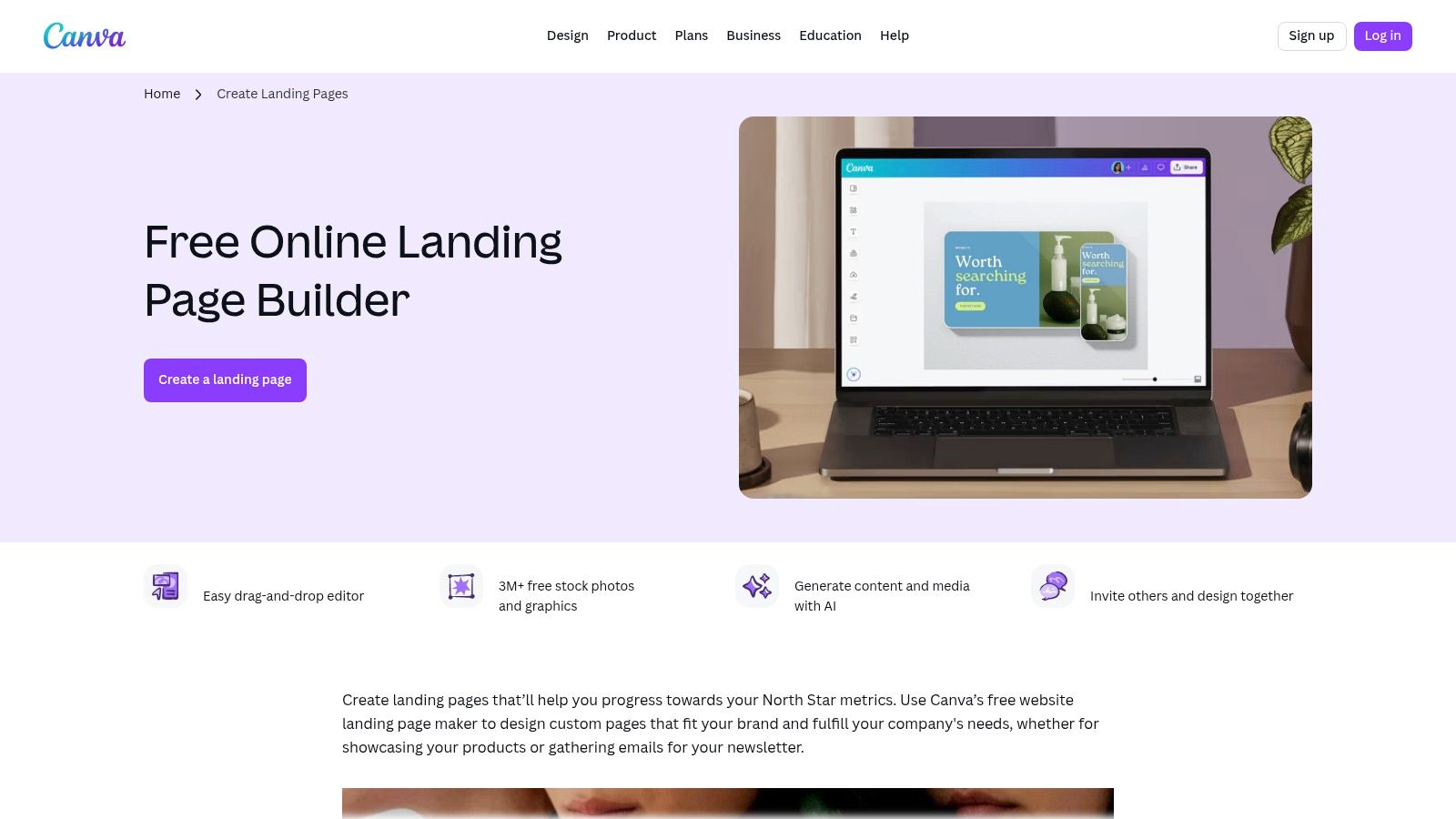
You can go from selecting a template to publishing a live page on a free Canva URL in minutes, making it ideal for time-sensitive campaigns and product launches.
Quick Tips for Influencers:
- Visual “Link in Bio”: Create a highly visual link page that perfectly matches your Instagram grid aesthetic, using your own brand fonts and colors.
- Event Invitations: Design a beautiful invitation page for a webinar or online workshop that feels more polished than a standard sign-up form.
- Showcase a Digital Product: Create a page with product mockups, customer testimonials, and a buy button linking to your store. Canva is one of the best tools for content creators for a reason.
Limitations and Considerations
Canva landing pages are best for simple, static sites. They lack advanced marketing features like A/B testing or in-depth analytics. To use your own custom domain, you will need a Canva Pro subscription.
Visit Website: Canva Free Landing Page Builder
12. Figma Community – Free Landing Page Design Templates
Figma is a professional design tool, and its Community section is a goldmine of free landing page templates and UI kits. This is a design-first approach: find a template, customize the design to perfection, then build it yourself in a tool like Webflow or hand the design files to a developer. It is the right workflow for creators with a very specific vision.
This workflow is ideal for planning a high-stakes launch, like a signature course, where you need to nail the user experience before building anything.
Quick Tips for Influencers:
- Plan Your Perfect Sales Page: Use a Figma template to map out the entire flow of your sales page, from the headline to the testimonials to the final call to action.
- Create a Mood Board: Find a template that matches your aesthetic and use it as a starting point to create a visual guide for your brand’s web presence.
- Collaborate with a Designer: If you are working with a professional designer, the Figma Community is the perfect place to find inspiration and kickstart the design process together.
Limitations and Considerations
These are design files, not live websites. You still need to build the page in another tool. This adds a step to the process, but it gives you the highest level of creative control available.
Visit Website: Figma Community
Free Landing Page Template Comparison Table
| Platform | Core features | Best for | Price and value | Ease and Quality |
|---|---|---|---|---|
| HubSpot – Free Landing Page Builder | Drag-and-drop templates, forms, analytics, native CRM and automation | Creators focused on lead generation and scaling | Free starter; marketing features and A/B testing on paid tiers | 4/5 — CRM-native workflows |
| Mailchimp – Landing Page Templates | Template gallery, drag-and-drop editor, list and campaign integration | Email-driven creators building lists and launches | Free pages; custom domain and advanced automations on paid plans | 4/5 — straightforward analytics |
| Webflow – Free Website Templates | Visual designer, CMS, animations, code export | Design-forward creators or agencies wanting polish | Free to design; hosting and teams paid | 4/5 — steeper learning curve |
| Wix – Landing Page Templates and Builder | Large template library, SEO tools, app integrations | Creators who want fast publishing with many templates | Free with Wix branding; upgrade for domain and apps | 3/5 — easy but branded free tier |
| WordPress.org – Landing Page Themes | Huge theme directory, plugin extensibility, full ownership | Creators wanting control, plugins, and scalability | Self-hosting cost only; themes often free | 4/5 — flexible; needs maintenance |
| Start Bootstrap – Free Templates | MIT-licensed Bootstrap templates, SCSS and JS build scripts | Dev-savvy creators who self-host and customize | Free; DIY hosting and analytics | 4/5 — clean code; developer required |
| BootstrapMade – Free Templates | Responsive Bootstrap 5 templates with landing sections | Creators wanting quick Bootstrap implementations | Free (check per-template license) | 3/5 — good for fast builds |
| Creative Tim – Awesome Landing Page | Polished Bootstrap landing template, source on GitHub | Creators who want a quick, polished starter page | Free core template; paid UI kits available | 4/5 — minimal setup, limited variants |
| Colorlib – Free Templates (HTML) | Large catalog of HTML and Bootstrap templates and demos | Creators needing many niche templates to choose from | Free downloads; limited support | 3/5 — lots of choices, variable quality |
| Carrd – One-Page Builder | Lightweight one-page editor, templates, simple forms | MVPs, link-in-bio pages, simple product landers | Free subdomain; Pro around $19/yr for domains and integrations | 5/5 — fastest and best low-cost value |
| Canva – Landing Page Builder | Drag-and-drop editor, millions of assets, publish to web | Non-designers and creators wanting on-brand pages | Free basic; Pro for team features and custom domains | 4/5 — very beginner-friendly |
| Figma Community – Design Templates | Community UI kits, editable components, real-time collaboration | Creators and designers prototyping pages before build | Free; still requires building and publishing elsewhere | 3/5 — excellent for design, not publishing |
How to Choose the Right Free Landing Page Template
With twelve strong options covered, the big takeaway is clear: you do not need a large budget or a web developer to create a professional landing page that converts followers into customers. The tools have never been more accessible, and the best free landing page templates available today rival paid options in both design quality and functionality.
Whether you are building a waitlist for a course, selling an e-book, or promoting a service, a focused landing page is your most effective conversion tool. It works as your always-on salesperson, turning social media traffic into measurable business results.
Quick Decision Guide:
Here is a summary to help you pick the right free landing page template based on your needs and technical skill level.
- For the “I Need It Live Today” Creator: If you want something fast and visual with no technical skills required, go with Canva, Wix, or Carrd. You can have a beautiful page online in under an hour. Carrd is especially powerful for “link in bio” pages.
- For the Email List Builder: If your primary goal is growing your newsletter subscribers, HubSpot and Mailchimp are the strongest choices. They are built to capture leads and integrate directly with your email marketing.
- For the Design-Obsessed Creator: If your brand aesthetic is non-negotiable, Webflow and the Figma Community give you the highest level of creative control. Use Figma to plan the perfect design, then build it in Webflow without code.
- For the Tech-Savvy Creator: If you are comfortable with HTML and CSS and want total ownership, grab a template from BootstrapMade, Start Bootstrap, or Colorlib. You get full control and zero platform fees.
Beyond the Template: Optimize for Conversions
Choosing a free landing page template is only the first step. The real differentiator is what you do with it. Fill it with compelling copy that speaks directly to your target audience, use high-quality images, and make your call-to-action button impossible to miss. A template provides the structure; your content is what drives conversions.
Once your landing page is live, do not set it and forget it. Pay close attention to your analytics. The process of improving website conversion rates is all about testing and iterating. Try different headlines, change your button colors, and see what resonates with your audience. The most successful creators treat their landing pages as living documents that improve over time.
A dedicated landing page is one of the most powerful tools in your creator arsenal. It focuses attention, drives action, and turns your influence into income. Now you have the resources—go build something that converts.
Ready to take your digital products to the next level? While a great landing page gets you leads, Rupa Pro handles everything that comes after—automating checkout, payments, and secure delivery for all your digital goods. Stop wrestling with complicated setups and let Rupa Pro be the seamless backend to your brilliant front-end.